


Mobile & Internet Banking
Download the new Mobile Banking app and enjoy the benefits!
Update it now and discover everything that's new!




Mobile & Internet Banking Service is available also in WEB version

Improved Digital Banking experience
The new enhancements further optimize the platform experience across all available features, supporting seamless daily operations and giving you greater confidence in managing your banking activities.

What’s new?
A redesigned experience: simpler navigation, smarter layouts, and faster access to what matters most, so you can manage your everyday banking faster and more effortlessly than ever.
What if everything you need was already easier to find?
From navigation to feature discovery, everything has been redesigned to help you explore more, faster.

Instant access to the most frequently used functions
Key functions are available right from the pre-login screen, streamlining repetitive tasks. You can customize the quick-access buttons yourself based on the features you use most often.
Key improvements:
- Instant access to key functions
- Customizable settings
- Less time spent on frequent operations

Easier to explore, compare, and choose
"Explore Savings" and "App tour" make it easier and more intuitive to find the right savings product.
- With "Explore Savings" you can browse the savings products available in the app, analyse existing solutions, check key product details, and start the online activation process.
- Not sure where to start? "App tour" leads you step-by-step to the right solution based on your needs and preferences.
A fresh look for your Mobile Banking App and its icon
A new version of your Mobile Banking App is available in the stores, featuring a refreshed design to make your experience more accessible and intuitive.
If the update is available, simply update the App to continue using all services.
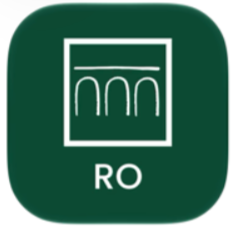
You will find the App under the name INTESA SANPAOLO BANK ROMANIA in your App Store. In addition, another change is the icon, which will be green, reflecting the App’s new design.
How can you update the App? It's quick and easy:
• Open the App Store, Google Play Store or Huawei AppGallery
• Search for [INTESA SANPAOLO BANK ROMANIA]
• Tap Update
There’s no need to delete the App you already have installed.
Update your App and enjoy the new look of your banking experience.
